AI-Readiness Audits
The Audits view (in the app sidebar) runs an AI-readiness audit of a site and produces a report. An audit is a mechanical check of how visible and usable your site is to AI agents today — what structured data it exposes, which discovery surfaces it publishes, and whether agents can actually operate on it.
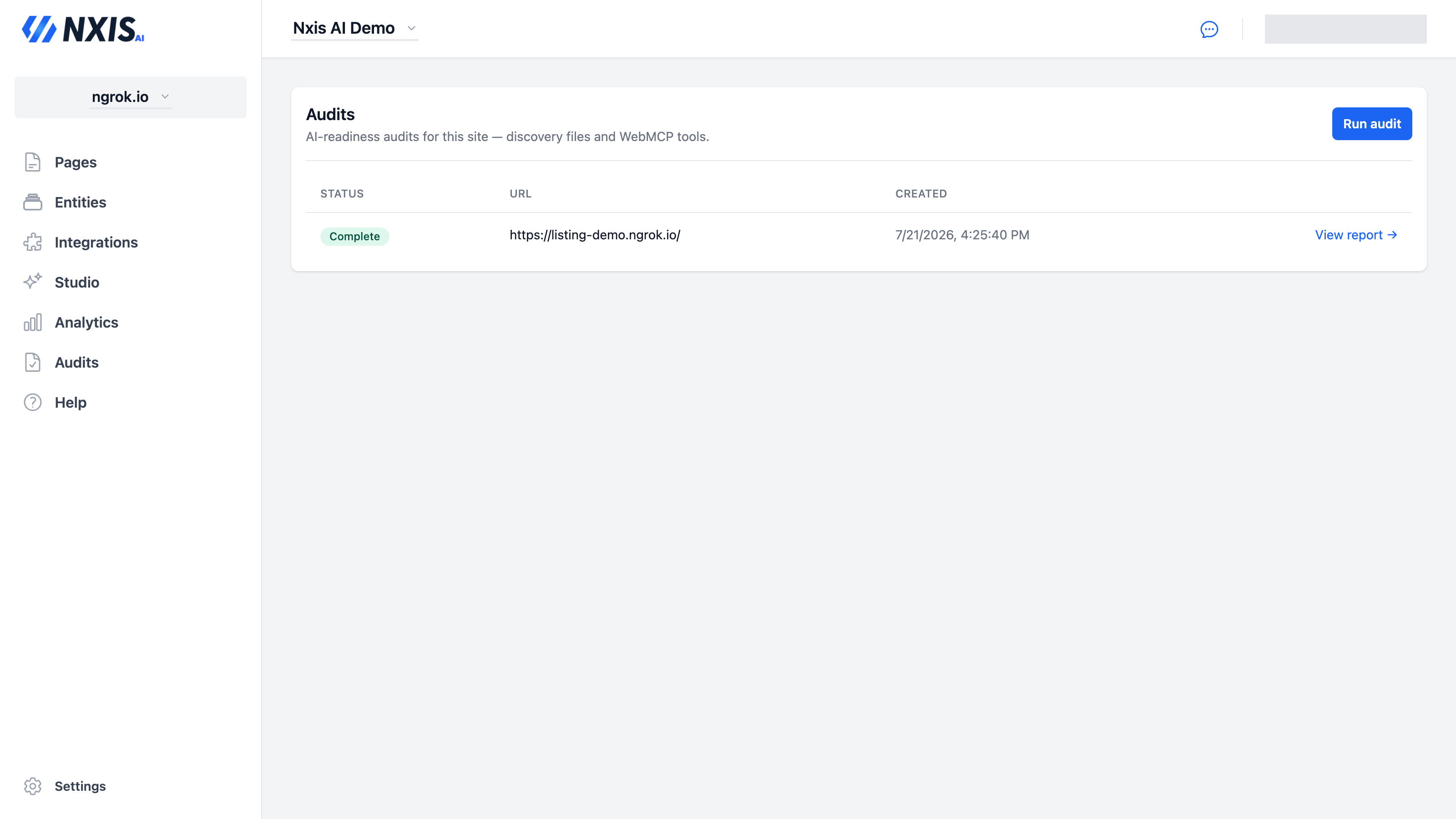 The Audits list — each row links to its report.
What an audit evaluates
An audit crawls the site and checks the layers an agent would encounter, in order:
| Area | What is checked |
|---|---|
| Structured data coverage | Whether pages carry Schema.org JSON-LD, and which entity types are present. |
| Discovery surfaces | The AI discovery files — llms.txt, agents.md, ai-catalog.json, mcp/catalog.json, and the /.well-known/ucp commerce profile. See Agent Protocols and Standards. |
| Agent accessibility | WebMCP tool availability, plus form and accessibility findings that affect whether an agent can complete actions on the page. |
An audit measures what your site exposes to agents — it does not measure (or predict) whether AI assistants will mention, recommend, or send traffic to your site.
Running an audit
- Open Audits from the sidebar (with the site selected in the header dropdown).
- Click Run audit.
- The new row appears in the table with its status. An audit typically completes in about a minute.
The table shows one row per audit:
| Column | Contents |
|---|---|
| Status | The audit's state — e.g. Complete. |
| URL | The audited site URL. |
| Created | When the audit was started. |
Each completed row ends with View report →.
If an audit is already running for the site, a new request reuses the in-progress job rather than starting a duplicate.
Reading the report
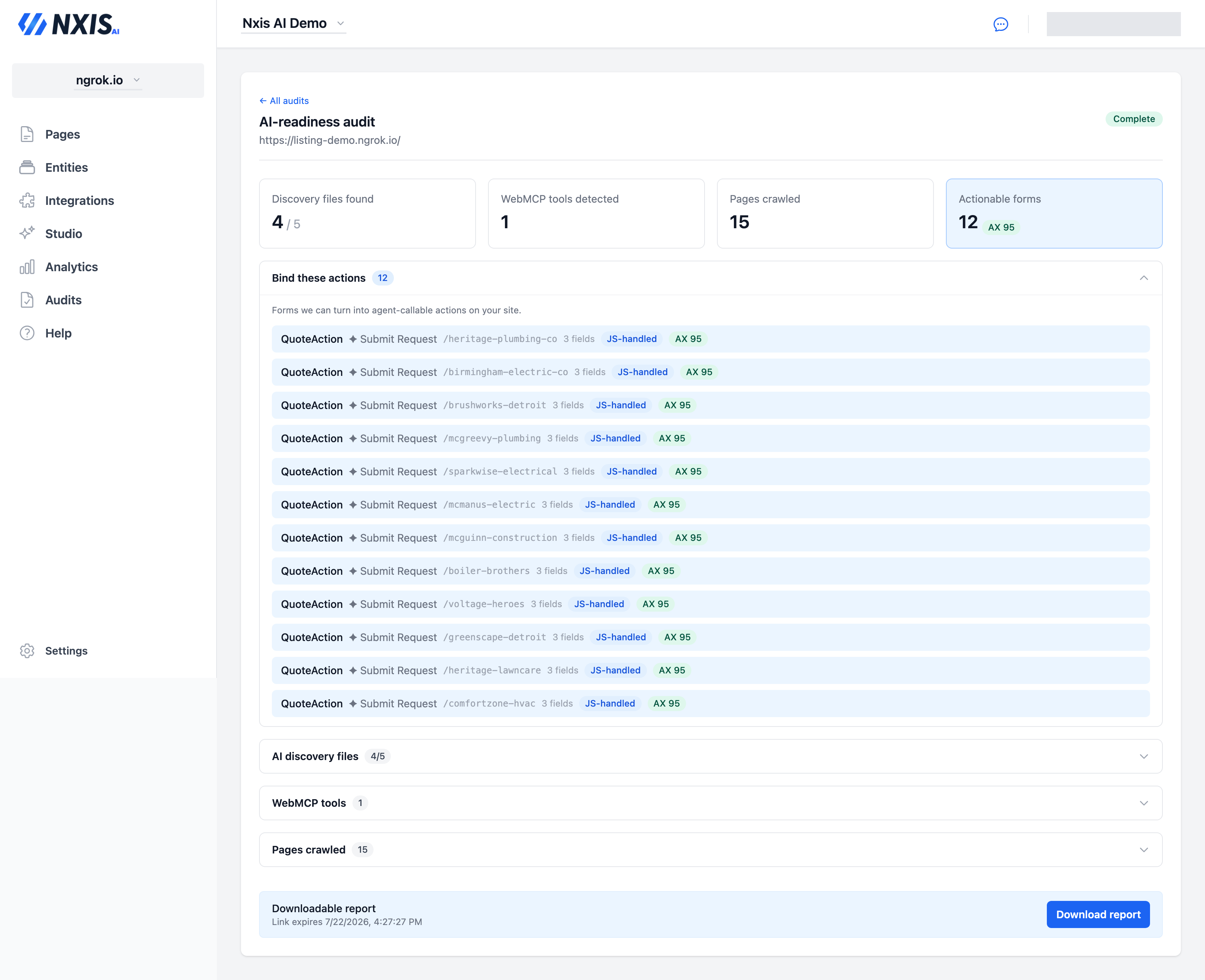 The report page — an AIO readiness summary followed by per-surface findings.
The report opens with an AIO readiness summary, then breaks down each area:
- AI discovery files — which of the discovery surfaces the site publishes, and which are missing.
- WebMCP tool check — whether on-page actions are exposed as browser-native tools.
- Form / accessibility findings — issues that would block an agent from completing a form, with action recommendations.
A 24-hour presigned JSON download link lets you export the full report.
Findings map directly to fixes elsewhere in the app: missing structured data is addressed in Entities, discovery files are generated from your MCP settings, and agent behavior can be verified hands-on in the Studio.
The free audit
An audit is also the entry point to NxisAI itself. Visitors to nxis.ai/audit can enter a URL, create a free account, and get the same report — a real FREE-tier subscription is provisioned so the account is fully functional, with naming your organization left as a skippable step afterward. Audits run from inside the app use the same engine and produce the same report.
Related
- Agent Protocols and Standards — publish the discovery surfaces the audit checks for
- MCP for AI Agents — the endpoint audits verify agents can reach
- Actions & Bindings — make the actions the audit finds executable
- Studio — verify agent behavior interactively after fixing findings
- Agent Analytics — measure agent activity after you've addressed the report
- Site Settings