Agent Protocols and Standards
NxisAI builds on open, agent-facing standards rather than proprietary lock-in. This page maps the protocols a NxisAI-enabled site speaks and gives copy-paste templates for the discovery files you host, so agents and crawlers can find your site's MCP server and know how to use it.
The protocol stack
| Standard | Purpose | Where it lives | Docs |
|---|---|---|---|
| MCP (Model Context Protocol) | External agents query your typed data and run actions | https://<tenant>.mcp.nxis.ai/mcp | MCP for AI Agents |
| WebMCP | On-page agents act in the browser (document.modelContext) | Your live pages | WebMCP |
| A2A (Agent2Agent) | Your on-page agent hands a conversation to another agent, or a person, through a relay on your origin | /api/handoff, and each agent's card (/a2a/<name>/agent-card.json) | A2A setup |
| llms.txt | Human- and LLM-readable map of your key pages | /llms.txt | below |
| agents.md | Operating guide telling agents how to use your site | /agents.md | below |
| MCP Server Card | Machine-readable descriptor of your MCP server | …/mcp/server-card | below |
| MCP Catalog / AI Catalog | An index that advertises one or more server cards | /.well-known/mcp/catalog.json, /.well-known/ai-catalog.json | below |
The substance lives in your structured data, served over MCP and made actionable with WebMCP. The files on this page are lightweight signposts to those capabilities, in two roles:
- Server Cards and catalogs are for discovery. They let an agent find your MCP server in the first place and read its connection details before connecting.
llms.txtandagents.mdare for agents that already arrived.llms.txtpoints them to the content that matters;agents.mdtells them how to connect, query your typed data and submit your actionable forms.
Together they form a chain (llms.txt → agents.md → catalog → Server Card) that takes an agent from a one-line text file on your domain to a live typed tool connection.
Generate them in the dashboard
You don't have to start from the templates below. Site Settings → AIO has a generator sub-tab for each file (LLMs.txt, Agents.md, MCP Catalog and AI Catalog), pre-filled from your site's MCP settings: tenant, domain, Public Access state, and MCP endpoint. Your live Server Card is viewable, with Open and Refresh, in Site Settings → MCP → Server Card. See Site Settings.
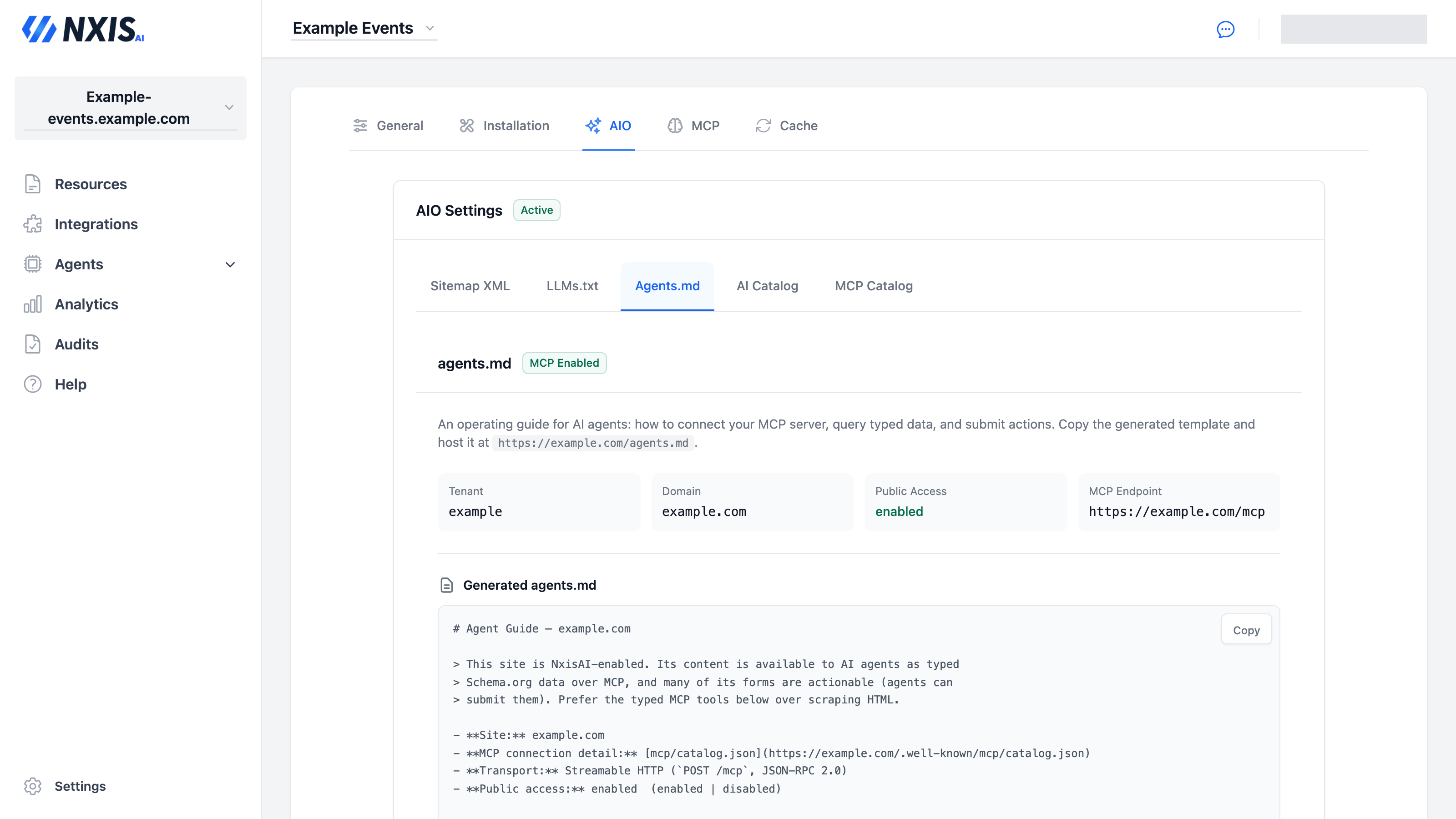 The Agents.md generator: summary chips, the generated operating guide, and the exact URL to host it at.
Each generator shows the generated content with a Copy button and the hosting URL. Generation is gated on MCP being enabled: the files describe your MCP endpoint, so there must be one to describe. Copy the output, publish it at the indicated path, and you're discoverable. The templates below are the same starting point if you prefer to customize by hand.
Fill in the placeholders
All templates use {{DOUBLE_BRACE}} placeholders. Replace them with your values:
| Placeholder | Replace with | Example | Used in |
|---|---|---|---|
{{SITE_NAME}} | Your site / brand name | Acme Plumbing | All |
{{SITE_DOMAIN}} | Your domain (no scheme) | acme.com | All |
{{TENANT}} | Your NxisAI tenant slug (from your MCP domain) | acme | All |
{{ONE_SENTENCE_DESCRIPTION}} | A one-line summary of the site | Licensed 24/7 plumbing across metro Detroit. | llms.txt |
{{PUBLIC_ACCESS}} | Whether public (no-key) access is on — match your Site Settings → MCP → Public Access toggle | enabled or disabled | agents.md |
{{PUBLIC_ACCESS_BOOL}} | The same setting as true or false | true | Server Card |
Your MCP domain and tenant slug are shown in Site Settings → MCP (see Site Settings).
MCP Server Cards (SEP-2127 + the experimental-ext-server-card repo) and the broader AI Catalog format are draft / experimental. Field names and paths may change. Treat the templates below as a current-best starting point and check the upstream specs before relying on them in production.
llms.txt
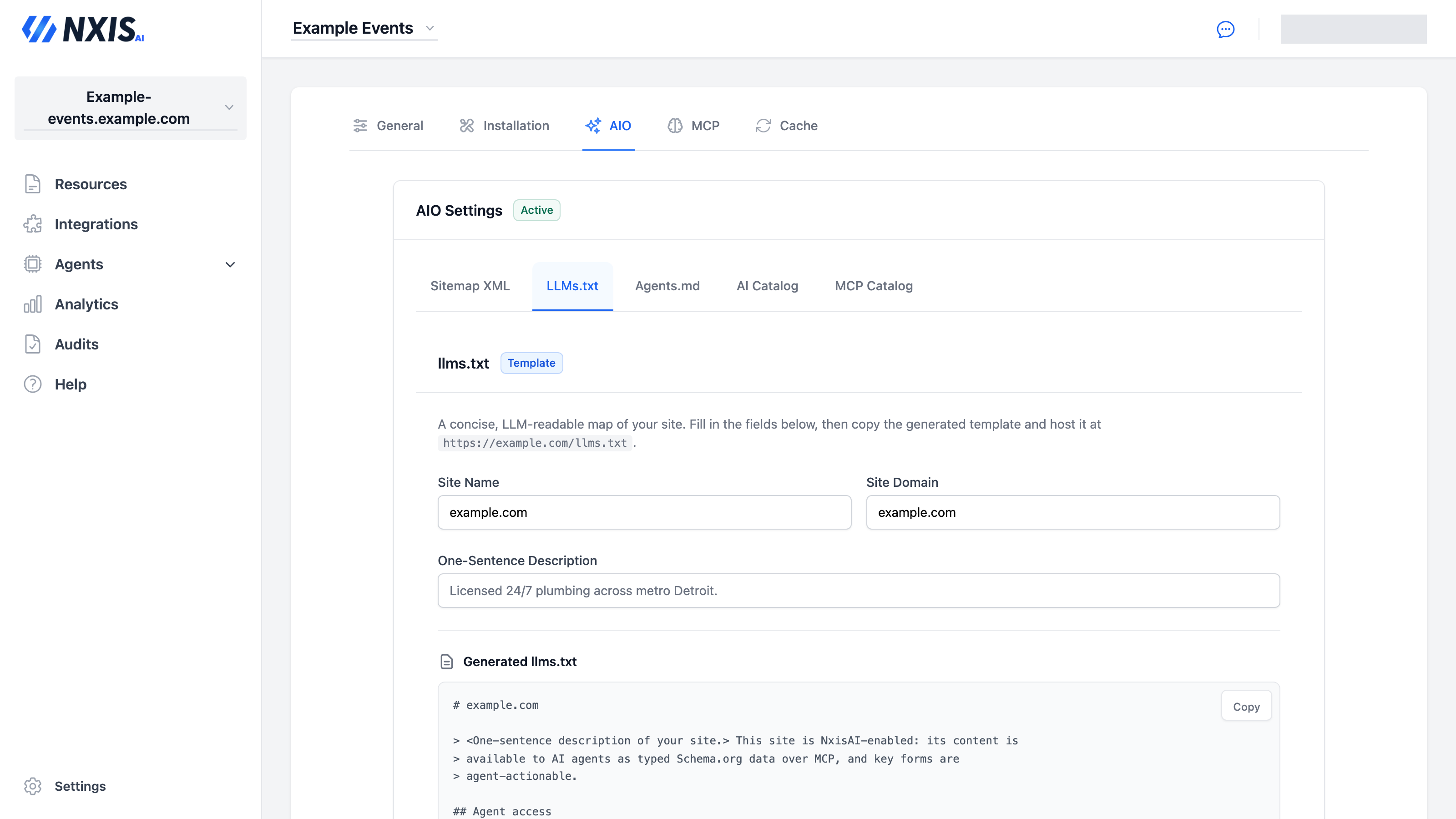 The LLMs.txt generator in Site Settings → AIO.
A short, prioritized index of your most important URLs, following the llms.txt convention: an H1 title, a blockquote summary, then H2 sections of links with one-line descriptions. Put the highest-value content first; use an ## Optional section for content agents can skip when short on context.
# {{SITE_NAME}}

> {{ONE_SENTENCE_DESCRIPTION}} This site is NxisAI-enabled: its content is
> available to AI agents as typed Schema.org data over MCP, and key forms are
> agent-actionable.

{{OPTIONAL_SHORT_PARAGRAPH_OF_CONTEXT — what the site offers, who it serves.}}

## Agent access

- [Agent guide](https://{{SITE_DOMAIN}}/agents.md): how to connect this site's MCP server, query typed data, and submit actions
- [MCP endpoint](https://{{TENANT}}.mcp.nxis.ai/mcp): Streamable HTTP MCP server (tools: nxis_list_types, nxis_query, nxis_get)

## Docs

- [Page title](https://{{SITE_DOMAIN}}/path): short description of the page

## Products

- [Product or category](https://{{SITE_DOMAIN}}/path): short description

## Key pages

- [About](https://{{SITE_DOMAIN}}/about): company overview
- [Contact](https://{{SITE_DOMAIN}}/contact): how to get in touch
- [Pricing](https://{{SITE_DOMAIN}}/pricing): plans and pricing

## Optional

- [Secondary resource](https://{{SITE_DOMAIN}}/path): lower-priority content an agent can skip if short on context
Host it at your site root, https://your-domain.com/llms.txt, served as text/plain.
agents.md
An operating guide that tells agents exactly how to use your site: connect the MCP server, run the discover → query → get typed-retrieval pattern, and execute potentialActions while honoring their interaction policy (LEAD_GEN, BOOKING, TXN).
# Agent Guide — {{SITE_NAME}}

> This site is NxisAI-enabled. Its content is available to AI agents as typed
> Schema.org data over MCP, and many of its forms are actionable (agents can
> submit them). Prefer the typed MCP tools below over scraping HTML.

- **Site:** {{SITE_DOMAIN}}
- **MCP endpoint:** `https://{{TENANT}}.mcp.nxis.ai/mcp`
- **Transport:** Streamable HTTP (`POST /mcp`, JSON-RPC 2.0)
- **Public access:** {{PUBLIC_ACCESS}}  (enabled | disabled)

### Access & rate limits

- Public access enabled → typed-retrieval tools (`nxis_list_types`, `nxis_query`,
  `nxis_get`) need **no API key**; all other tools stay private. Unauthenticated
  traffic is **rate-limited more strictly**.
- Public access disabled → every tool needs auth (`nxis-api-key` header or OAuth 2.1).
- Authenticated connections get **higher rate limits** and full tool access.

## 1. Connect to the MCP server

Public (no key; typed retrieval only; lower rate limit):

```json
{ "mcpServers": { "{{TENANT}}": { "url": "https://{{TENANT}}.mcp.nxis.ai/mcp" } } }
```

Authenticated (all tools; higher rate limit):

```json
{
  "mcpServers": {
    "{{TENANT}}": {
      "url": "https://{{TENANT}}.mcp.nxis.ai/mcp",
      "headers": { "nxis-api-key": "<your-api-key>" }
    }
  }
}
```

After connecting, call `tools/list` to see the available tools.

## 2. Read data — typed retrieval (discover → query → get)

Map intent to the most specific type, push all filters into `nxis_query`, then
fetch full records by `@id`. Cite the `@id`; never fabricate missing fields.

```json
{ "jsonrpc": "2.0", "id": 1, "method": "tools/call",
  "params": { "name": "nxis_list_types", "arguments": {} } }
```

```json
{ "jsonrpc": "2.0", "id": 2, "method": "tools/call",
  "params": {
    "name": "nxis_query",
    "arguments": {
      "filter": { "schema_type": "Plumber" },
      "field_filters": [
        { "path": "aggregateRating.ratingValue", "operator": "GREATER_THAN_OR_EQUAL", "value": 4.5 }
      ],
      "limit": 5
    }
  } }
```

```json
{ "jsonrpc": "2.0", "id": 3, "method": "tools/call",
  "params": { "name": "nxis_get", "arguments": { "id": "<json-ld-@id>" } } }
```

## 3. Act on the site — actions

Entities may carry a `potentialAction` describing something an agent can do.
Each is self-describing via the `nxis:` namespace (`nxis:` = `https://nxis.ai/ns#`):

- `nxis:input` — a preview of the action's fields (for self-page actions, what you fill)
- `nxis:submitPolicy` — `LEAD_GEN` | `BOOKING` | `TXN` (how to submit)
- `nxis:targetKind` — `directEndpoint`/`protocol` (server-side) or `selfPage` (in-browser)
- `nxis:toolName` — a pointer to the MCP tool that executes it (server-side only)

**Server-side action:** `nxis:toolName` is a handoff pointer, not a call spec.
Find that tool via `tools/list` on the MCP server, then use the **tool's own input
schema from the server** to gather parameters and invoke it through the MCP server.
The server holds the authoritative schema, applies the binding, and runs the
action — you don't POST to the action yourself.

**Self-page action:** no server tool — execute in the browser via WebMCP (fill the
form from `nxis:input` and submit against the live DOM).

**Honor the policy:**
- `LEAD_GEN` — async; auto-submit OK after user consent; dedupe on contact.
- `BOOKING` — check availability, commit one slot; cancelable; re-check on conflict.
- `TXN` — payment/sensitive; never auto-submit; require explicit confirmation.

Confirm with the user before submitting any action that collects personal data.

## 4. Etiquette

- Prefer typed `nxis_query` over scraping when the MCP is connected.
- Keep result sets small; paginate instead of over-fetching.
- Cite the `@id` of every record you surface; don't invent data.
- Respect robots.txt and the interaction policies above.
Host it at your site root, https://your-domain.com/agents.md, served as text/markdown. If you can't write to the root, /.well-known/agents.md is an acceptable alternative.
MCP Server Card
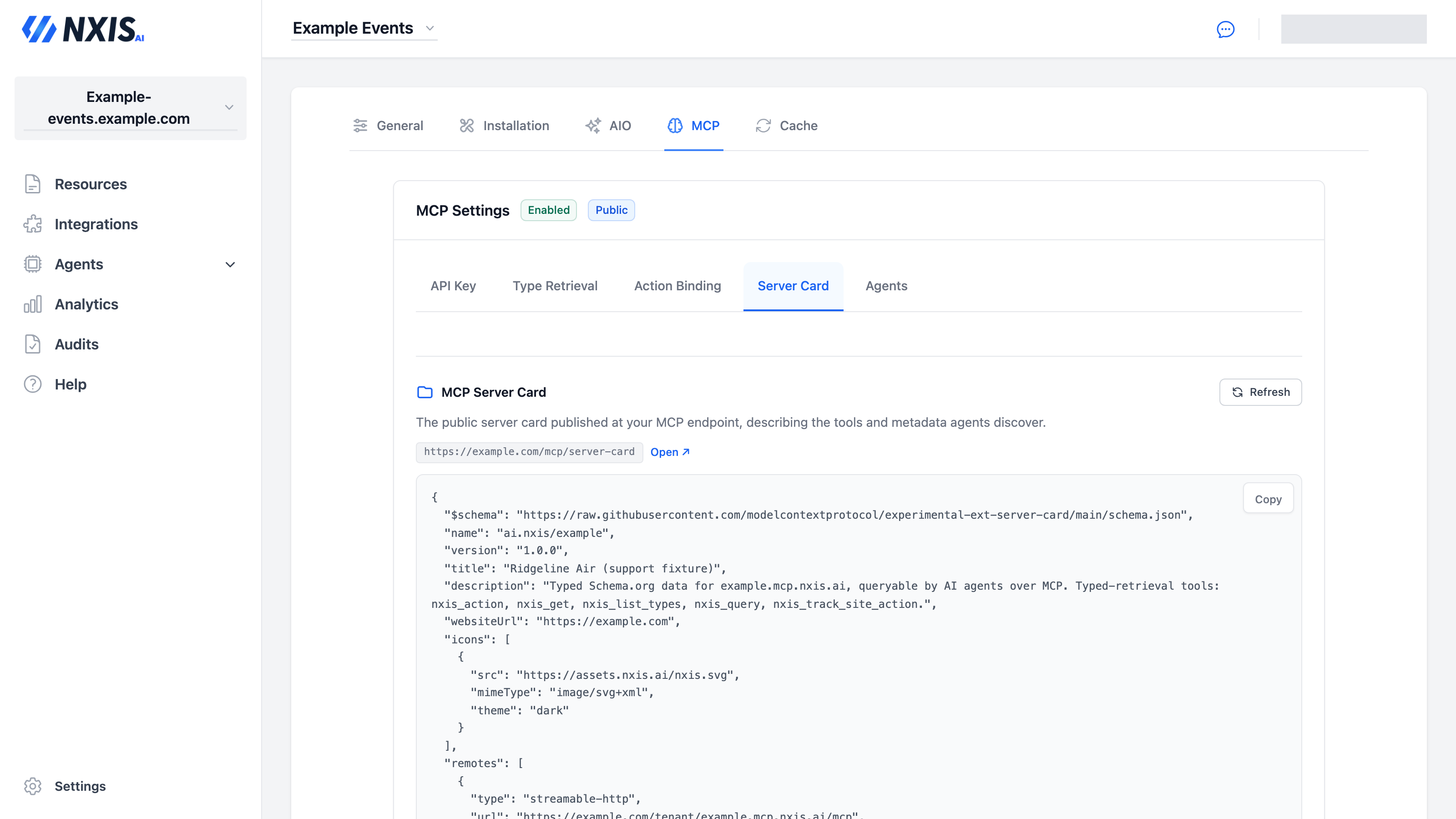 The Server Card sub-tab shows the exact JSON your MCP endpoint is serving.
A Server Card is a small, public, read-only JSON document that describes your MCP server's identity and how to connect to it — not its tools (those remain subject to runtime tools/list). Agents read it before connecting.
Where to host it
Serve it at the reserved path on your MCP endpoint:
GET https://<tenant>.mcp.nxis.ai/mcp/server-card
Response headers:
Content-Type: application/mcp-server-card+json
Access-Control-Allow-Origin: *
Access-Control-Allow-Methods: GET
Cache-Control: public, max-age=3600
If your NxisAI MCP endpoint already serves a Server Card at …/mcp/server-card, you don't need to host your own — just reference that URL from your catalog. Host your own copy only if you want to publish it from your primary domain.
Fields
| Field | Required | Description |
|---|---|---|
$schema | ✅ | URL of the Server Card JSON Schema |
name | ✅ | Stable machine name (reverse-DNS style, e.g. ai.nxis/acme) |
version | ✅ | Server Card version |
description | ✅ | What the server exposes |
title | — | Human-readable display name |
websiteUrl | — | Your site URL |
repository | — | { url, source, subfolder?, id? } |
icons | — | [{ src, mimeType?, sizes?, theme? }] |
remotes | — | Connection endpoints — see below |
_meta | — | Extension metadata (free-form, namespaced keys) |
Each entry in remotes:
| Field | Required | Description |
|---|---|---|
type | ✅ | "streamable-http" or "sse" |
url | ✅ | The MCP endpoint URL |
headers | — | Auth/config inputs — [{ name, description?, isRequired?, isSecret?, format?, default?, placeholder?, choices? }] |
variables | — | URL-template variables (same Input shape) |
supportedProtocolVersions | — | MCP protocol versions the server supports |
Template
⬇ Download server-card.json template
{
  "$schema": "https://raw.githubusercontent.com/modelcontextprotocol/experimental-ext-server-card/main/schema.json",
  "name": "ai.nxis/{{TENANT}}",
  "version": "1.0.0",
  "title": "{{SITE_NAME}} — Structured Data",
  "description": "Typed Schema.org data for {{SITE_DOMAIN}}, queryable by AI agents over MCP. Typed-retrieval tools: nxis_list_types, nxis_query, nxis_get.",
  "websiteUrl": "https://{{SITE_DOMAIN}}",
  "repository": {
    "url": "https://www.nxis.ai",
    "source": "nxisai"
  },
  "icons": [
    { "src": "https://assets.nxis.ai/nxis.svg", "mimeType": "image/svg+xml", "theme": "dark" }
  ],
  "remotes": [
    {
      "type": "streamable-http",
      "url": "https://{{TENANT}}.mcp.nxis.ai/mcp",
      "headers": [
        {
          "name": "nxis-api-key",
          "description": "NxisAI MCP API key. Required for private tools; omit for public typed-retrieval access (if Public Access is enabled).",
          "isSecret": true,
          "isRequired": false,
          "format": "string"
        }
      ],
      "supportedProtocolVersions": ["2025-06-18"]
    }
  ],
  "_meta": {
    "ai.nxis/publicAccess": {{PUBLIC_ACCESS_BOOL}},
    "ai.nxis/publicTools": ["nxis_list_types", "nxis_query", "nxis_get"]
  }
}
The headers entry marks the API key optional because typed-retrieval tools may be reachable without it when Public Access is enabled. The _meta block is an NxisAI hint about which tools are public — see Public vs. authenticated access.
MCP Catalog
A catalog advertises one or more server cards from a known location, so an agent can discover everything you publish in a single fetch.
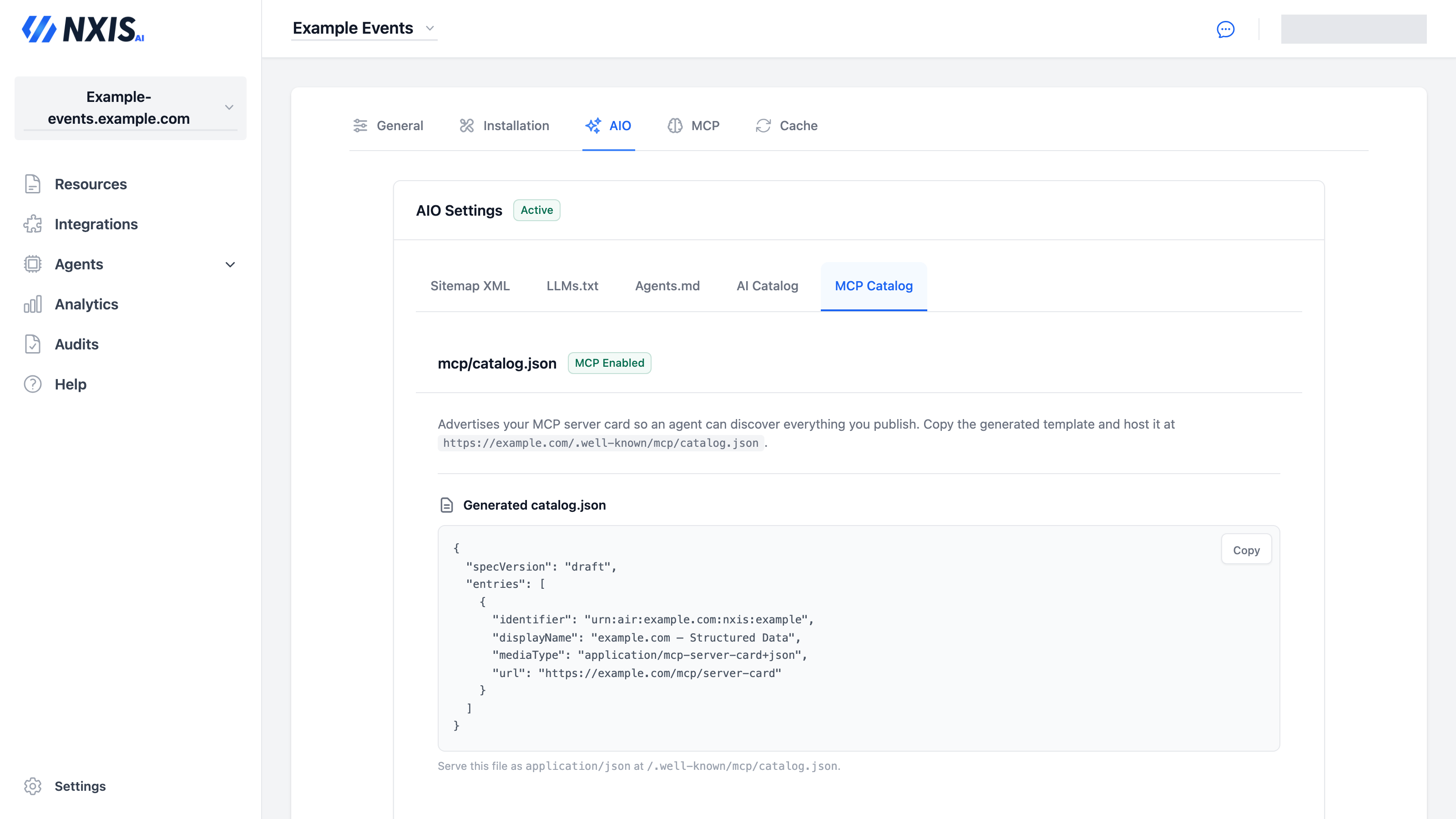 The MCP Catalog generator in Site Settings → AIO.
Where to host it
GET https://<your-domain>/.well-known/mcp/catalog.json
Same CORS/caching headers as the server card. Each entry's identifier uses the URN form urn:air:{publisher}:{namespace}:{name}.
Template
⬇ Download mcp-catalog.json template
{
  "specVersion": "draft",
  "entries": [
    {
      "identifier": "urn:air:{{SITE_DOMAIN}}:nxis:{{TENANT}}",
      "displayName": "{{SITE_NAME}} — Structured Data",
      "mediaType": "application/mcp-server-card+json",
      "url": "https://{{TENANT}}.mcp.nxis.ai/mcp/server-card"
    }
  ]
}
AI Catalog (superset)
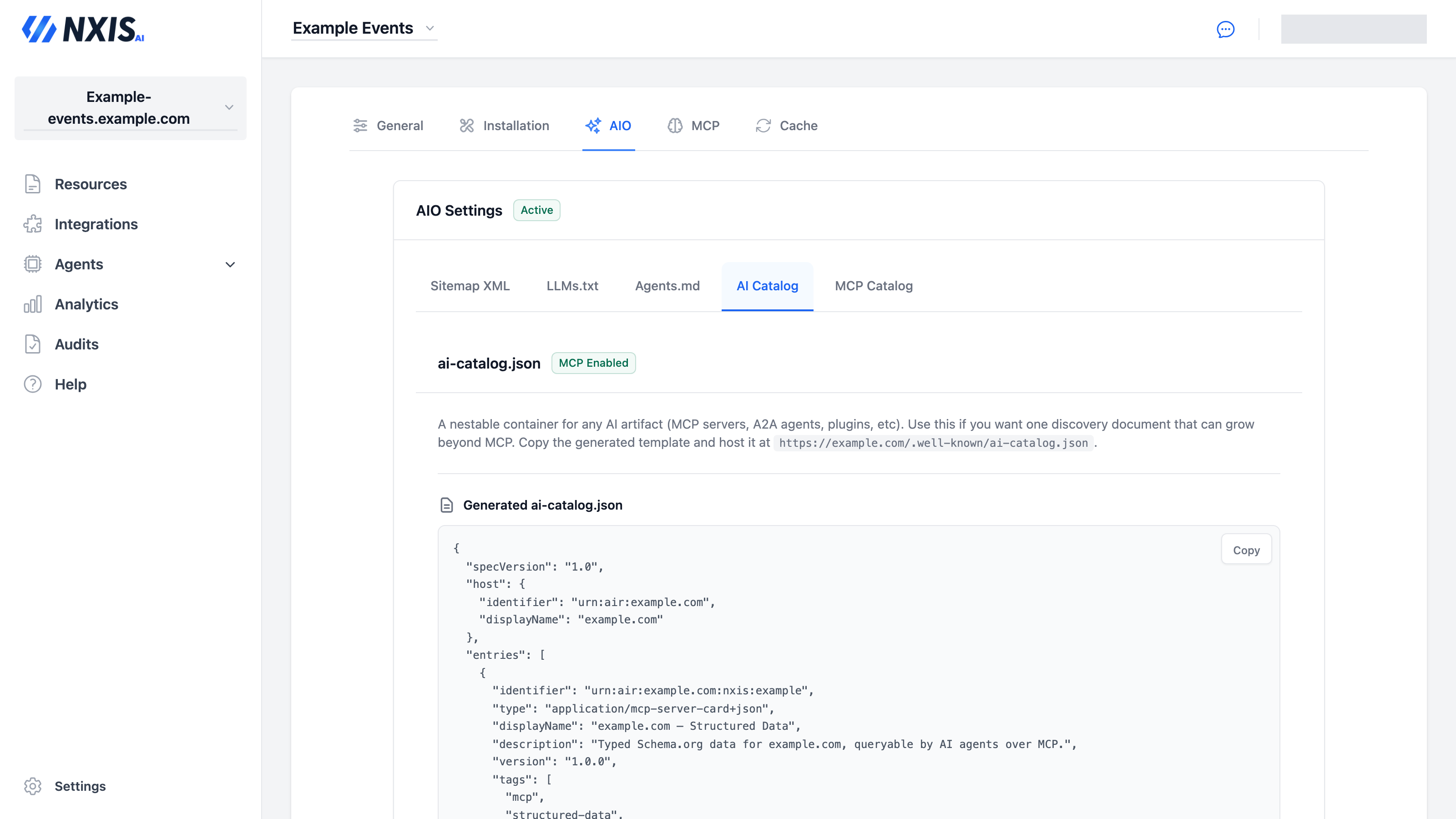 The AI Catalog generator in Site Settings → AIO.
The AI Catalog format (application/ai-catalog+json) is a typed, nestable container for any AI artifact — MCP servers, A2A agents, plugins, datasets, model cards — not just MCP. Use it if you want one discovery document that can grow beyond MCP. It adds richer per-entry metadata (type, description, version, tags, publisher, trustManifest, updatedAt) and supports nested catalogs.
Where to host it
GET https://<your-domain>/.well-known/ai-catalog.json
You can also point to it with an HTTP Link header or an HTML <link rel="ai-catalog" href="…">.
Template
⬇ Download ai-catalog.json template
{
  "specVersion": "1.0",
  "host": {
    "identifier": "urn:air:{{SITE_DOMAIN}}",
    "displayName": "{{SITE_NAME}}"
  },
  "entries": [
    {
      "identifier": "urn:air:{{SITE_DOMAIN}}:nxis:{{TENANT}}",
      "type": "application/mcp-server-card+json",
      "displayName": "{{SITE_NAME}} — Structured Data",
      "description": "Typed Schema.org data for {{SITE_DOMAIN}}, queryable by AI agents over MCP.",
      "version": "1.0.0",
      "tags": ["mcp", "structured-data", "schema.org", "typed-retrieval"],
      "publisher": {
        "identifier": "urn:air:{{SITE_DOMAIN}}",
        "displayName": "{{SITE_NAME}}"
      },
      "url": "https://{{TENANT}}.mcp.nxis.ai/mcp/server-card",
      "updatedAt": "2026-01-01T00:00:00Z"
    }
  ]
}
How an agent discovers your server
The end-to-end flow once your catalog and card are published:
# 1 · Discover the catalog
GET https://{{SITE_DOMAIN}}/.well-known/mcp/catalog.json
   → entries[] (each with a server-card url)

# 2 · Fetch a server card
GET https://{{TENANT}}.mcp.nxis.ai/mcp/server-card
   Accept: application/mcp-server-card+json
   → name, description, remotes[] (url, type, headers, protocol versions)

# 3 · Connect to the MCP server using the card's remote
POST https://{{TENANT}}.mcp.nxis.ai/mcp          # Streamable HTTP, JSON-RPC
   → tools/list, then typed retrieval + actions
After step 3, the agent follows your agents.md for the typed-retrieval and action patterns.
Related
- MCP for AI Agents — connect agents and use typed retrieval
- WebMCP — the on-page action surface (
selfPageexecution) - A2A setup — the relay and Agent Cards behind the on-page agent's handoffs
- Site Settings → MCP — find your MCP domain and tenant slug
- SEP-2127: MCP Server Cards
- MCP Server Card discovery
- ai-catalog.io
- llms.txt convention