Studio
The Studio view (in the app sidebar) is an in-dashboard agent chat — "Agent Studio — A studio for agentic workflows powered by structured data + MCP." It lets you talk to an agent that is connected to your site's own MCP server, without setting up any external client. Ask it a question, and it answers by running real typed retrieval against your site's corpus.
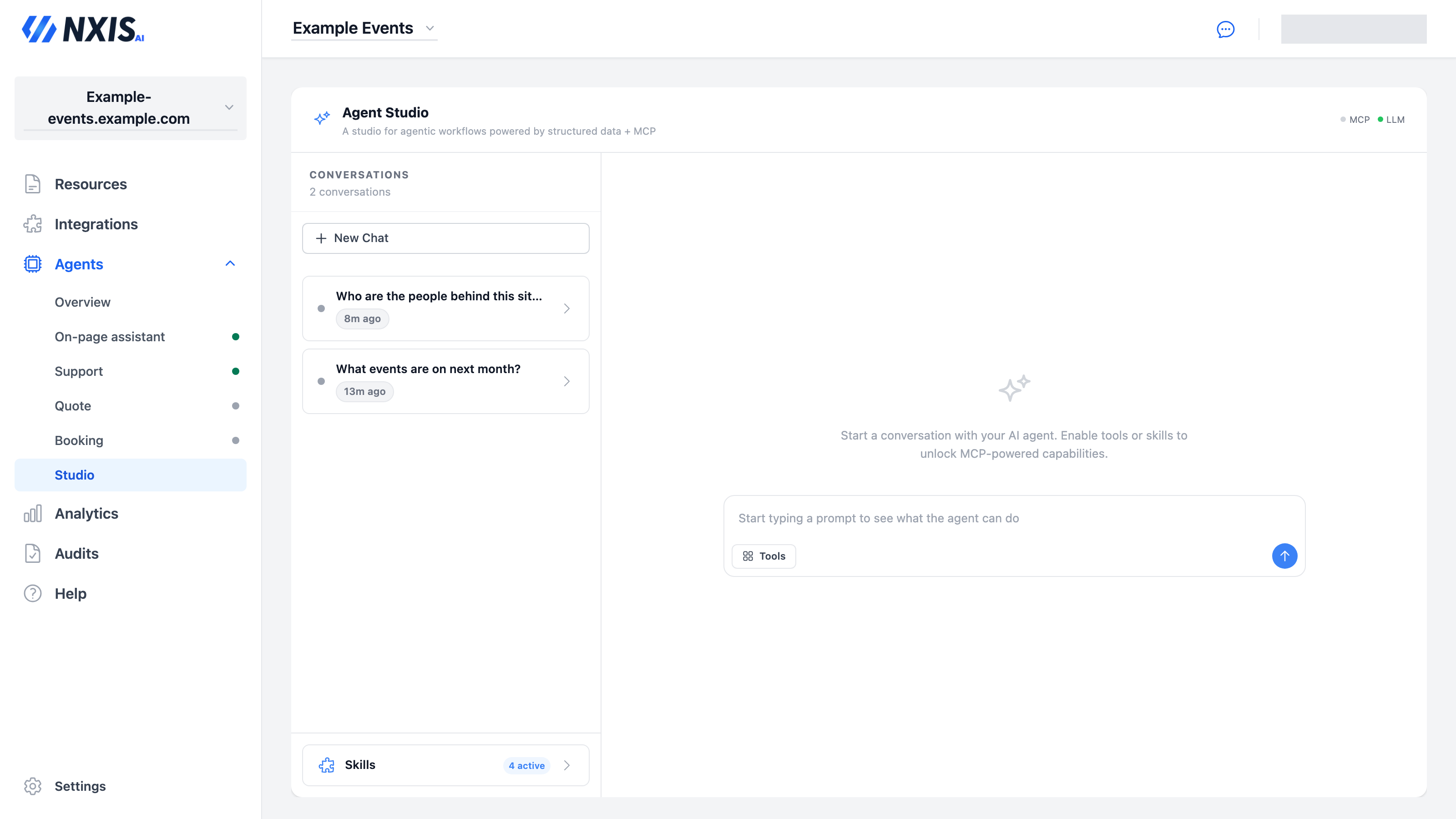 The Studio before any conversation — the prompt box invites you to see what the agent can do.
What it's for
The Studio is the fastest way to see your site the way an agent sees it. Use it to:
- Validate extraction quality — check that the entities NxisAI generated actually carry the fields, ratings, and relationships you expect.
- Preview what external agents will see and do — the Studio agent uses the same tools that Claude, ChatGPT, Gemini, and other MCP clients get when they connect to your endpoint.
- Experiment with tools and skills before publishing — try queries, toggle tools, and observe behavior before you enable Public Access or share your endpoint.
If an answer in the Studio looks wrong or incomplete, the fix is usually in your data, not the agent — review the entity in Entities and re-check in the Studio.
The interface
| Element | What it does |
|---|---|
| Conversations | A list of your past chats, plus New Chat to start a fresh one. |
| Prompt box | "Start typing a prompt to see what the agent can do" — your question goes here. |
| Tools picker | Choose which MCP tools the agent may use in this conversation. |
| Skills panel | Shows the active skill count — which skills your corpus supports for the agent to use. |
| Status indicators | Green dots (top-right) confirm the MCP server and LLM are connected and healthy. |
Typed answers, not scraped text
Studio conversations run against your site's structured data corpus — the same JSON-LD knowledge graph your MCP server exposes. Ask "Who are the people behind this site, and what do they do?" and the agent answers from the site's Person records: each person's role, what they do and their expertise, linked to their canonical JSON-LD @id. Ask about a business directory instead, and you get ranked LocalBusiness entities with rating, review count, address and phone.
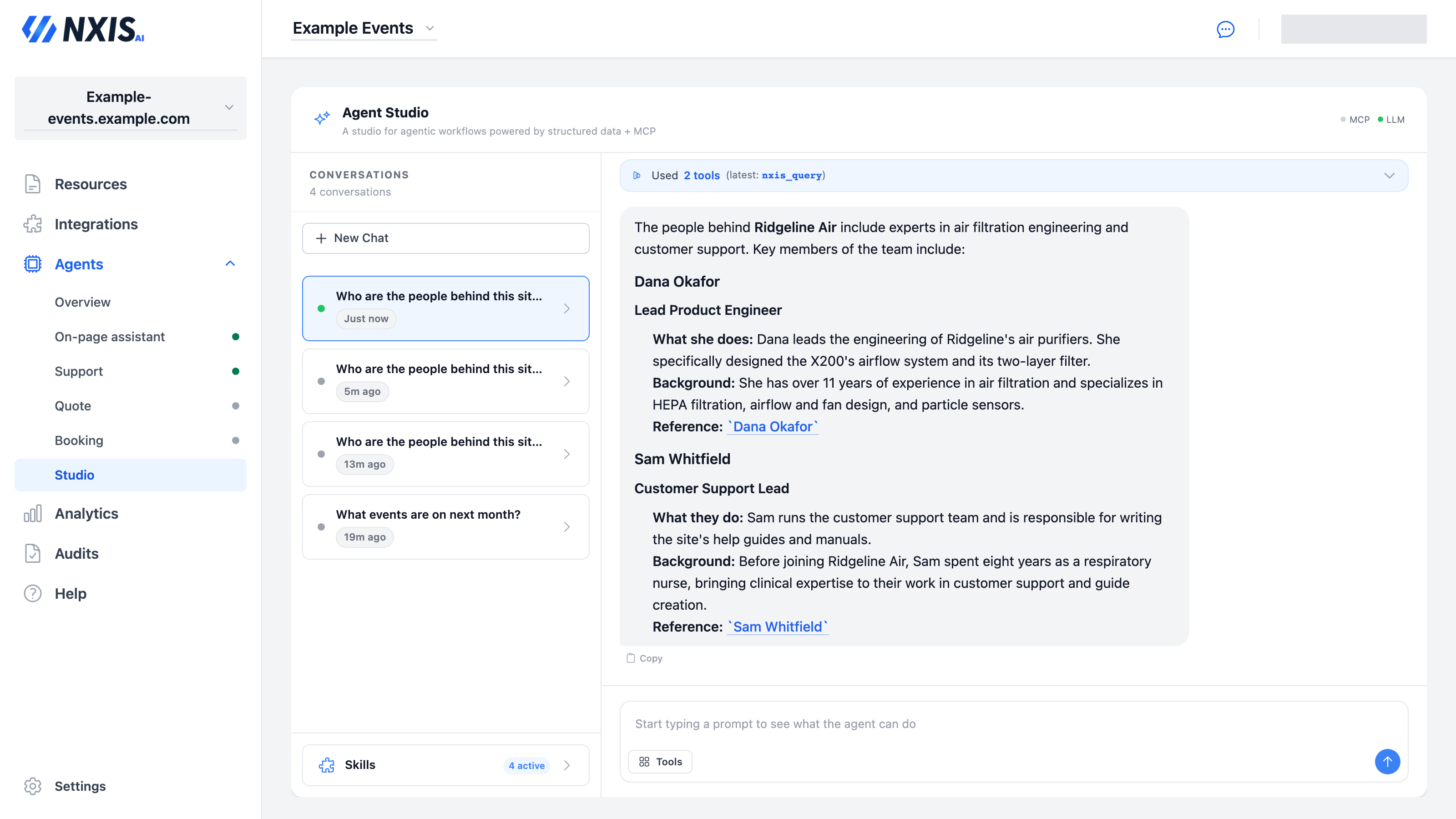 A typed-retrieval answer — entities with structured fields and canonical
@id links, not extracted prose.
Because results are typed records rather than scraped text, the same query returns the same data every time — what you verify in the Studio is what an external agent will retrieve.
Relationship to your MCP server
The Studio is not a separate system — it's a client of the same MCP server external agents connect to, using the same tools:
| Tool | Purpose |
|---|---|
nxis_list_types | Discover the Schema.org types available in your site's data. |
nxis_query | Search typed records with field filters, sorting, and pagination. |
nxis_get | Fetch a single entity's full JSON-LD by its ID. |
nxis_action | Execute an action your pages offer — routed per your Action Binding configuration. |
The difference is scope: the Studio always has authenticated access to your own site, while what an external agent can reach depends on your MCP settings (public vs. authenticated access, action bindings).
The Studio shows you what agents can retrieve and do on your site. It doesn't simulate any particular external agent's behavior or predict how third-party assistants will use your data.
Related
- MCP for AI Agents — connect external clients to the same tools
- Actions & Bindings — the actions the Studio agent can execute
- Agent Protocols and Standards — make your server discoverable to agents outside the Studio
- AI-Readiness Audits — assess your site before you start testing
- Agent Analytics — measure what agents actually do once connected
- Site Settings → MCP