Hosted Agents
NxisAI runs agents for your site from its agent catalog, so there's no server, relay or model key for you to look after. Two can be turned on today:
| Agent | What it does for your visitors |
|---|---|
| On-page assistant | Chats with visitors on your pages, answers from your site's indexed records, and hands bigger questions to the Support Agent |
| Support Agent | Answers support questions only from your site's own help content, and cites the record behind every answer. It's read-only: it never submits anything or changes anything |
The rest of the catalog can't be turned on from the dashboard yet. For those in early access or coming soon, you can ask for access, or to be told when one is ready.
You turn them on, preview them and take them live from Agents in the dashboard, or from the nxis CLI. Changes reach your site within seconds.
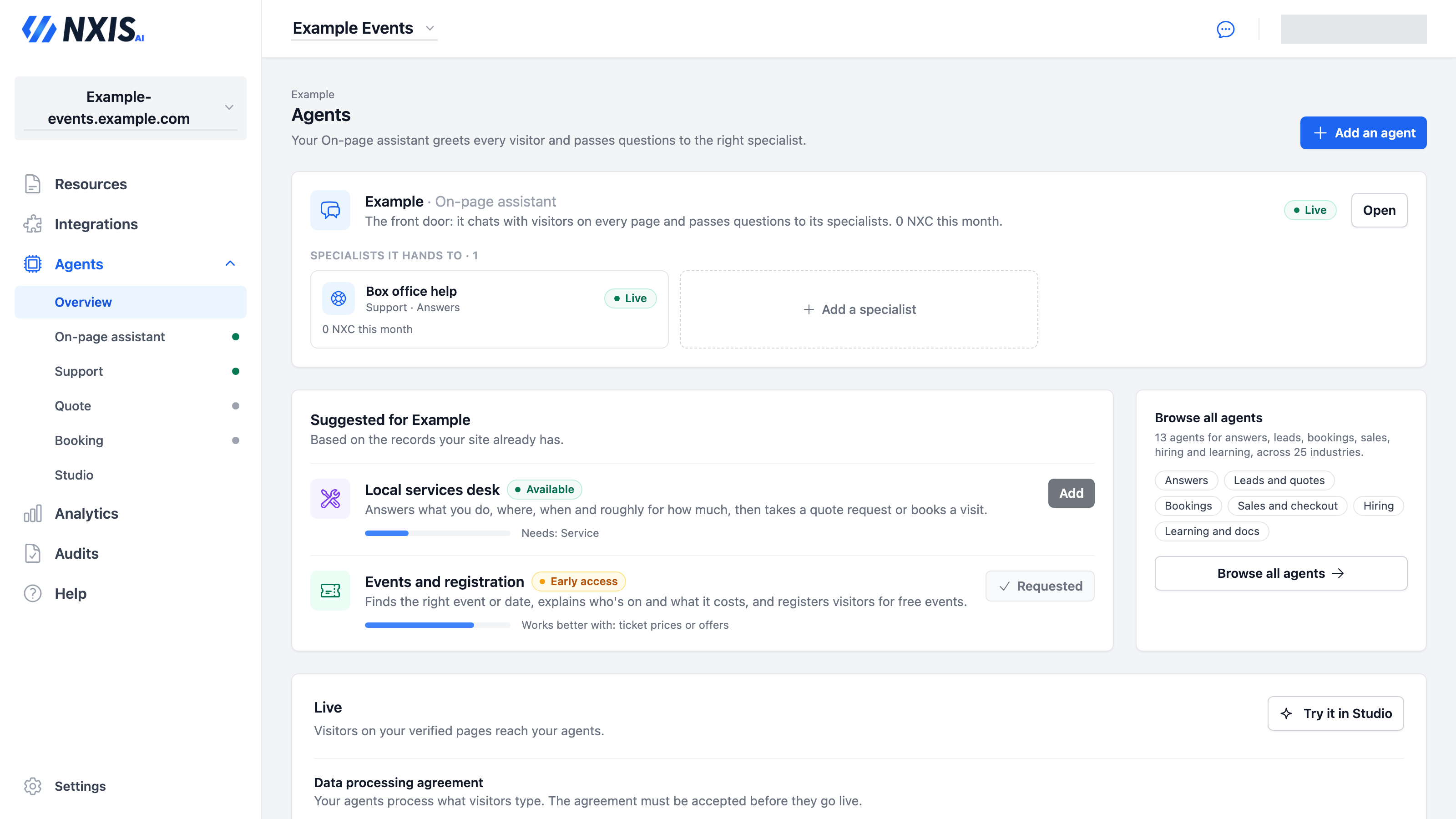 The Agents overview: the on-page assistant, the specialist it hands to, and agents suggested for your site.
Hosted or run yourself
The same agents can run on your own infrastructure: see Agents on your site. Hosting changes who runs them, what NxisAI receives, and what you can configure.
| Hosted by NxisAI | Run yourself | |
|---|---|---|
| What you install | The NxisAI tag | The on-page agent, a relay on your origin, and each agent on your server |
| Model | Claude Haiku 5.5 by default, or Claude Sonnet 5.5 for harder questions, billed to your organization's NXC credits | The visitor's device, or a model you host, with your own key |
| Instructions | NxisAI's instructions. You shape the agents with their names, descriptions, example questions, model and guardrails, not with a system prompt of your own | Yours to write |
| Conversations | Pass through NxisAI. Transcripts are stored for the period you set, unless you turn storage off | Stay on your server and your model provider |
| Handing a visitor to a person | Your team in your own Discord server: see To your team on Discord | A person target on your relay, such as your help desk |
| Quote and Booking agents | Early access: ask for access in the agent catalog | Available |
| Agreement | NxisAI processes what visitors type under the data processing agreement, which your organization accepts before the agents go live | Not needed for the agents themselves |
If what visitors type mustn't reach NxisAI at all, run the agents yourself.
Where they answer
The hosted agents answer only on your site's verified hosts, the domains you verified when you added the site. A request from any other origin is refused. A new site starts in preview: the agents answer you in the dashboard, and no visitor reaches them until you go live.
The Support Agent answers from your site's records through its MCP server, so it needs that server on. With the server off, the Support Agent stays off for visitors even when you've turned it on.
Handoffs
From the assistant to the Support Agent. When a visitor asks a support question, the on-page assistant offers to hand them to the Support Agent and shows the short summary that goes with it. Nothing is handed over until the visitor agrees. The Support Agent receives that summary and the page the visitor is on, not the chat that came before. When the question is answered, or the visitor wants something else, it passes them back to the assistant.
The Support Agent's Handoffs tab shows where its conversations come from:
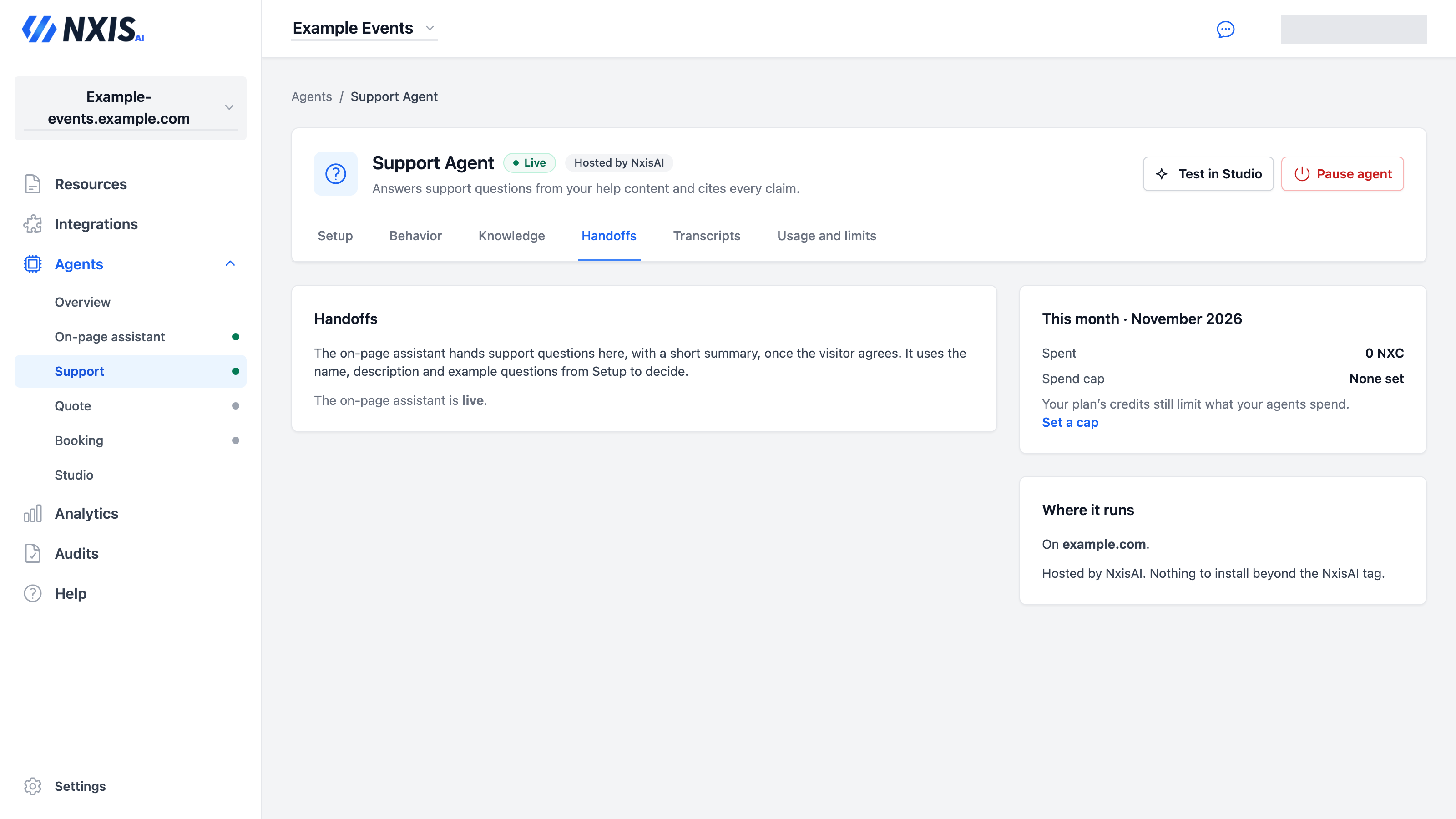 Handoffs: the on-page assistant hands support questions here, with a short summary, once the visitor agrees.
To your team on Discord
The Support Agent can hand a visitor to a person on your team, in your own Discord server. When a visitor asks for a person, and your team can take a handoff, the Support Agent offers to pass them on. Once the visitor agrees, a thread opens in the channel you chose, and your team answers there. The visitor reads each reply in their chat.
Discord is the only place the hosted agents can hand a visitor to a person. Without it connected, a visitor who asks for one is pointed to your contact page. To route visitors to a help desk or an inbox instead, run the agents yourself with a person target on your relay: see A2A setup.
Connect Discord
In the dashboard, open Agents, then Support, then the Handoffs tab. Under Team on Discord:
- Select Connect Discord. Discord opens, and asks you to add NxisAI's bot to a server you manage.
- Back in the dashboard, under Channel, pick a text channel and select Use this channel. Only text channels can be used.
- Select Send test message, and check that the message arrives in the channel.
- Optionally, set the Name visitors see (empty: "Our team", at most 100 characters), Your team's hours with a Time zone, and Share the visitor's recent messages. Then select Save team settings.
Each thread is a public thread in that channel, so anyone who can see the channel can read it. Pick a channel only your team can see.
From the CLI:
nxis agents handoff discord connect --channel support \
  --hours "mon-fri 09:00-17:00" --time-zone America/New_York
nxis agents handoff discord status
nxis agents handoff discord test
nxis agents handoff discord disconnect
connect prints Discord's install link and opens it, waits for you to add the bot, then sets the channel. Without --channel, it asks which one. Run connect again with new options to change the channel, name, hours or sharing.
How your team answers
In the thread, your team writes:
| Your team writes | What happens |
|---|---|
| Anything | A reply. The visitor reads it in their chat, under the writer's server nickname, and the conversation carries on |
!ask <question> | The question goes to the visitor, and their answer is posted back in the thread |
!close <note> ref:<reference> | The conversation is closed with your reference, such as a ticket number. The assistant carries on from the note |
!pass <note> | The visitor goes back to the assistant, with the note |
!decline <reason> | The handoff is declined, with the reason |
// <note> | A note for your team only. The visitor doesn't see it |
Nothing a visitor types can mention or notify anyone in your server.
Team hours
With Your team's hours set, the Support Agent offers your team only while it's open. Outside those hours it tells the visitor when the team is back (for example, "Our team is away right now. They're back Monday at 9:00 AM EST."), points them to your contact page, and no thread opens. Without hours, your team is offered at any time.
What's posted in the thread
- By default, only the reason and the summary the visitor saw and approved. Email addresses and phone numbers are removed from both, unless the visitor agreed to share their contact details.
- With Share the visitor's recent messages on, the thread also gets the page they were on, the details they agreed to share, their contact details if they agreed to share them, and their recent messages with the agent. Each is posted only if the visitor agreed to share it.
If Discord is disconnected
If the bot is removed from your server, or can no longer see the channel, the Handoffs tab shows Discord disconnected, with what's wrong. Until it's fixed, no thread opens, and a visitor who asks for a person is pointed to your contact page. Select Reconnect Discord or Pick another channel to fix it.
Disconnecting
Disconnect Discord stops handoffs to Discord. NxisAI's bot leaves your server, unless another site still uses it there. Threads already in your server stay there.
What NxisAI keeps
Threads live in your Discord server, under your control. On its side, NxisAI keeps only its handoff record: the page, the summary, the values the visitor agreed to share, and contact details only if the visitor asked to be contacted. It's deleted 30 days after the last activity, and when the site is deleted. See Limits and retention.
Next steps
- Turn on hosted agents: the setup wizard, the CLI, preview and going live
- Agent catalog: every agent NxisAI offers, how well each fits your site, and asking for the ones not available yet
- Transcripts: storage, the webhook, export and deletion
- Pause, limits and retention: turning agents off for a while, what they're held to, and how long data is kept
- Data processing agreement: the terms NxisAI processes visitor conversations under