Pause, Limits & Retention
Pausing and resuming
You can pause one agent, or every hosted agent on the site, without changing its settings. A pause reaches visitors within seconds.
- One agent: on the agent's page, select Pause agent.
- Every agent: on the Usage and limits tab, select Pause all agents.
Choose what to pause:
| Option | What visitors get |
|---|---|
| The whole agent | Every message is refused. Visitors are told: "The assistant isn't available right now. Please try again later." |
| Actions only | The agent keeps answering, but takes no actions: "I can't take actions right now, but I can still answer questions." |
You can add What visitors are told (at most 200 characters). Without it, the reason is "Turned off by the site owner".
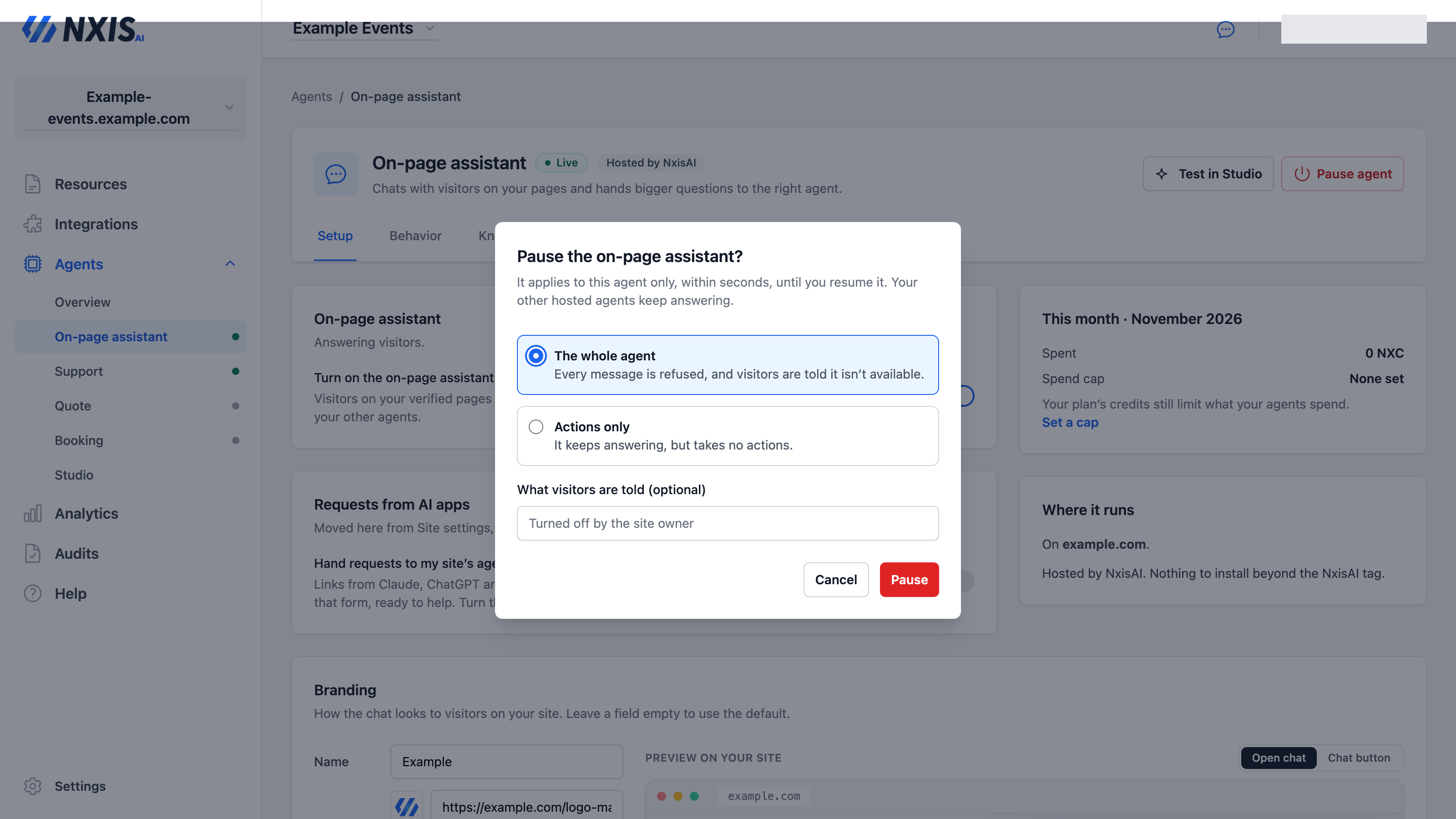 Pausing the on-page assistant: the whole agent, or actions only.
Resume agent or Resume all agents turns the pause off. An agent paused on its own and the site paused as a whole are separate: the stricter of the two applies, and resuming the site leaves an agent you paused by name still paused. While the Support Agent is paused, the on-page assistant tells visitors it isn't available instead of offering it.
From the CLI:
nxis agents pause                         # every hosted agent on the site
nxis agents pause support --reason "Back at 9am"
nxis agents pause --tools                 # actions only
nxis agents resume support                # that agent's pause
nxis agents resume                        # the site-wide pause
Spending
The hosted agents bill to your organization's NXC credits, at the rate of the model each agent uses. The Usage and limits tab shows this month's spend for the site, split by agent.
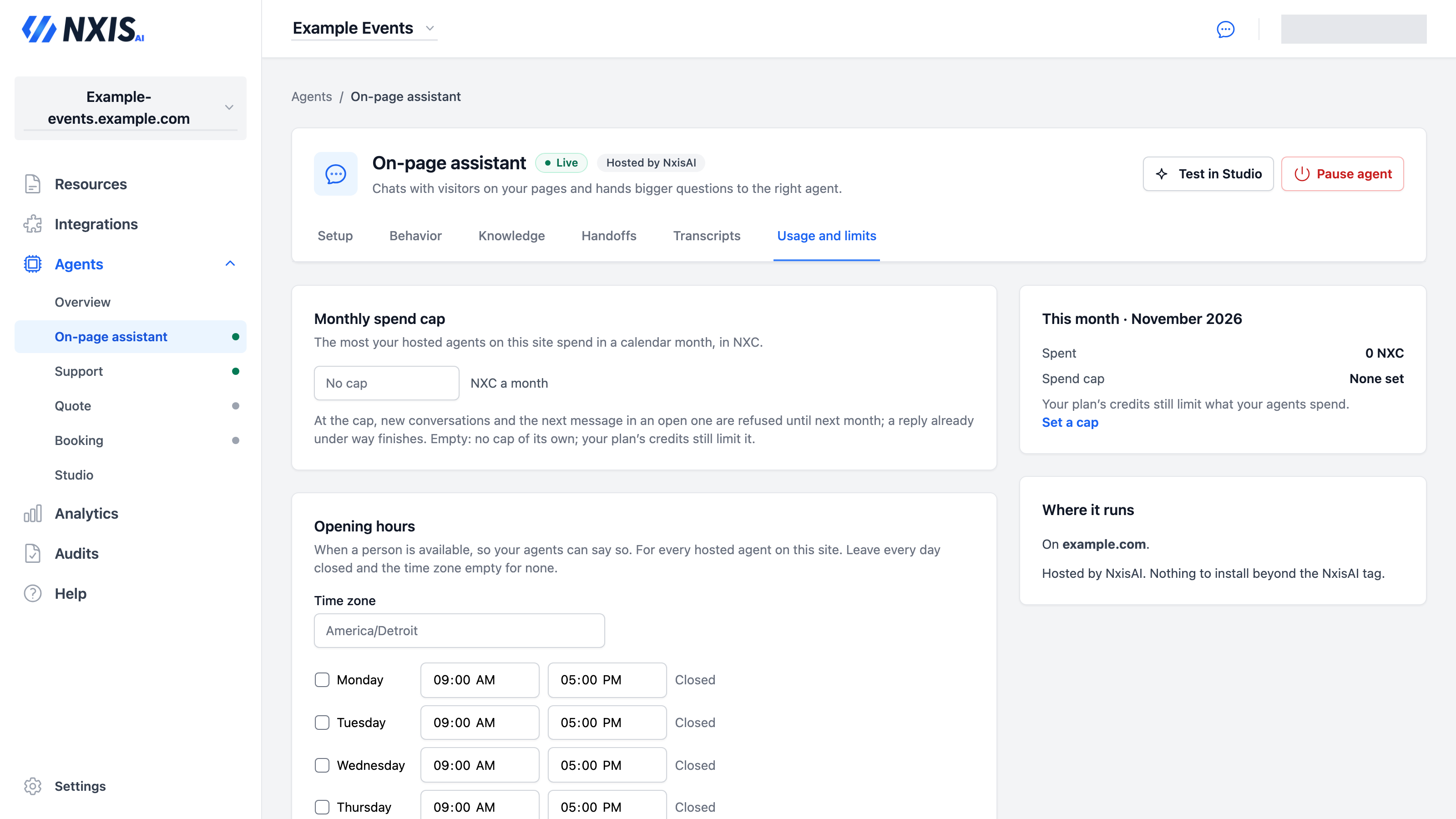 Usage and limits: the spend cap, opening hours and this month's spend. Pausing is further down the tab.
- Monthly spend cap: the most the site's hosted agents spend in a calendar month (UTC). At the cap, new conversations and the next message in an open one are refused until next month; a reply already under way finishes. The agent's status shows Paused: spend cap reached. Raise the cap to resume sooner.
- Out of credits: when your organization's credits are used up, visitors are told the agent isn't available, and its status shows Paused: out of credits. Buy credits, and it answers again within 10 minutes.
Visitors aren't told anything about money: they see the same "isn't available" message as for a pause.
Limits
| Limit | Value |
|---|---|
| Where the agents answer | Your site's verified hosts only |
| Requests per visitor | 100 a minute, per IP address, per site |
| Longest visitor message | 4,000 characters (the Support Agent reads the first 2,000) |
| Messages per visitor | 10 a minute, per conversation |
| Support Agent conversation | 12 visitor messages per handoff, then it passes the visitor back to the assistant |
| Support Agent name | At most 100 characters |
| What it helps with | At most 300 characters |
| Example questions | Up to 10, at most 200 characters each |
| Stored message | Up to 8,000 characters |
A guardrails policy can tighten these limits, never loosen them. Edit it on an agent's Behavior tab, or with nxis agents policy set.
Retention
| Data | Kept for |
|---|---|
| Transcripts | 30 days, or the 1 to 3,650 days you set, from the conversation's last message. None, if you turn storage off. See Transcripts |
| Failed webhook deliveries | The latest 200 per site, without message text |
| Handoff records (the page, the summary, the values the visitor agreed to share, and contact details only if the visitor asked to be contacted) | Deleted 30 days after the last activity, and when the site is deleted. Discord threads live in your own server: NxisAI doesn't keep them |
| The Support Agent's working state for a handoff | Deleted 24 hours after the last activity |
| Per-conversation counters, including the visitor's IP address | Deleted 60 minutes after the last update |
| Rate-limit counters | A one-minute window |
| Usage records | As long as billing, tax and accounting need them |
Deleting a site deletes its transcripts, failed-delivery records, handoff records and webhook secret.
For the full terms (what NxisAI processes, the subprocessors it uses, and how it handles requests from your visitors), see the data processing agreement.