Agent Catalog
Browse all agents lists every agent NxisAI offers, and how well each one fits your site. Open it from Add an agent on the Agents overview, from Add a specialist, or from the Browse all agents panel.
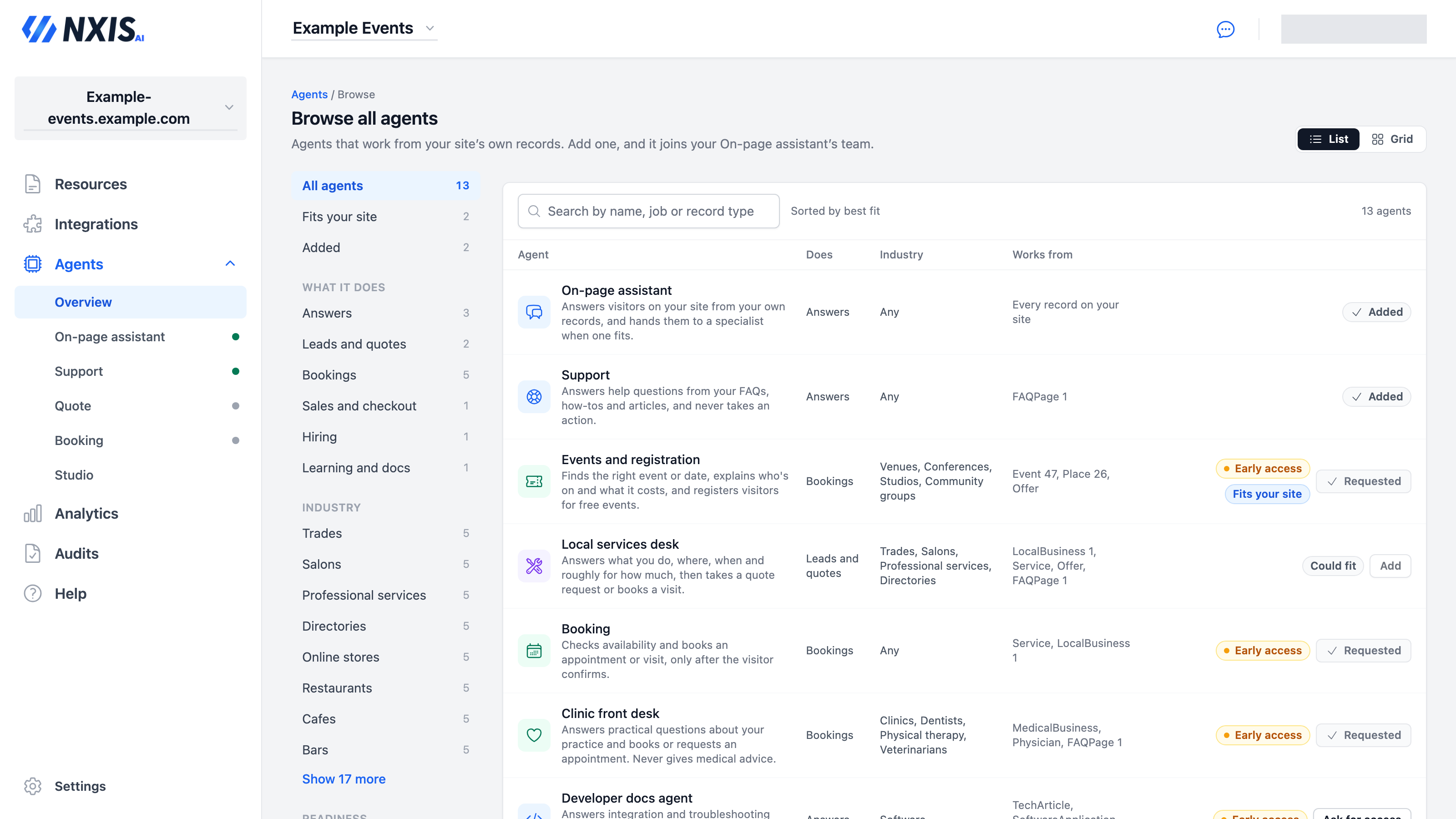 Browse all agents: sorted by best fit, with the agents already added first.
What's in it
Each agent does one kind of work, from your site's own records:
| What it does | Agents |
|---|---|
| Answers | On-page assistant, Support, Developer docs agent |
| Leads and quotes | Quote, Local services desk |
| Bookings | Booking, Events and registration, Restaurant host, Clinic front desk, Rentals and stays |
| Sales and checkout | Product finder |
| Hiring | Jobs and applications |
| Learning and docs | Training and SOP tutor |
For each agent, the catalog shows what it does, the industries it suits, the records it works from (with how many your site has), its readiness, and how well it fits your site.
- Filters: All agents, Fits your site and Added, then What it does, Industry and Readiness, each with a count.
- Search: by name, job or record type.
- List or Grid: the same agents as rows or as cards. Your filter, search and layout stay in the page address, so you can share or bookmark a view.
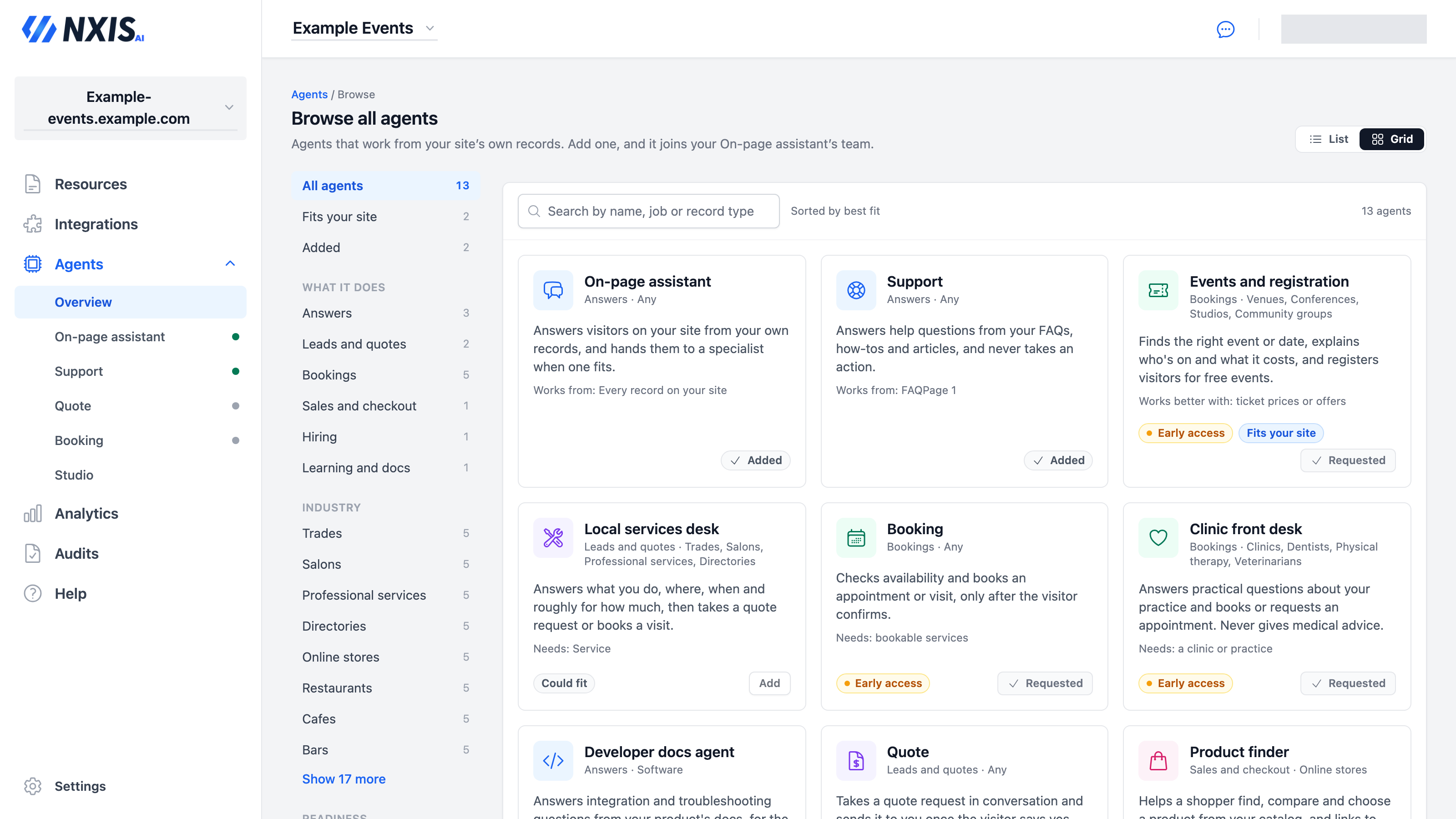 Grid view: each card shows what the agent needs, its readiness and its button.
Fit
Fit is a score from 0 to 100 that says how much of what an agent works from your site already has, counted from your published records.
- Each agent reads some record types. Some it needs (Events and registration needs
Event), and some make it work better (ticket prices or offers). - A type counts records of that type, of its subtypes (an
EventVenuecounts as aPlace), or of an alternative the agent accepts. - One record of a type scores 60%, and ten or more score 100%. Needed types weigh twice as much as the others.
- While a needed type has no records, fit is at most 40.
- The on-page assistant reads every record, so its fit follows how many records your site has.
- A site with no published records fits every agent at 0.
The catalog labels an agent Fits your site at a fit of 70 or more, and Could fit from 30 to 69. Under each agent it says what's missing: Needs: Product when a needed type has no records, or Works better with: ticket prices or offers when only optional ones are missing.
To raise an agent's fit, publish the records it needs: see Entities.
The Agents overview shows Suggested for your site: up to three agents you haven't added that could fit (a fit of 30 or more), with a fit bar, what each still needs and its button. Agents you've already asked about are listed after the others.
What you can do with each agent
| Readiness | Button | What it does |
|---|---|---|
| Available, and hosted by NxisAI | Add | Opens the agent's Setup tab, where you turn it on. Today this is the on-page assistant and the Support Agent |
| Available, but not yet hosted | Add, turned off | Can't be added from the dashboard yet (Local services desk, and Jobs and applications) |
| Early access | Ask for access | Tells NxisAI you'd like it on this site. The button then reads Requested |
| Coming soon | Notify me | Tells NxisAI to let you know when it's offered. The button then reads We'll let you know |
| Already on | Added | Links to the agent's page |
Quote and Booking are early access in the hosted catalog: NxisAI doesn't host them yet. You can run them yourself today.
Registering interest
Ask for access and Notify me record your request with NxisAI, for this site:
- It's recorded for you as a person, signed in to the dashboard, with an optional note. Asking again updates your request; it doesn't add a second one.
- NxisAI's team is told about each new request, so it can follow up.
- Everyone on the site sees the button as Requested or We'll let you know once anyone on the site has asked. The catalog doesn't show who asked.
- Asking doesn't turn anything on, and it costs nothing.
Related
- Hosted agents overview
- Turn on hosted agents
- Entities: publishing the records agents work from